Tight deadline. Complex brief. A SolidWorks file that has to be right for your UK university submission. Workingment provides online SolidWorks assignment help covering 3D modelling, assemblies, simulation and drawings.



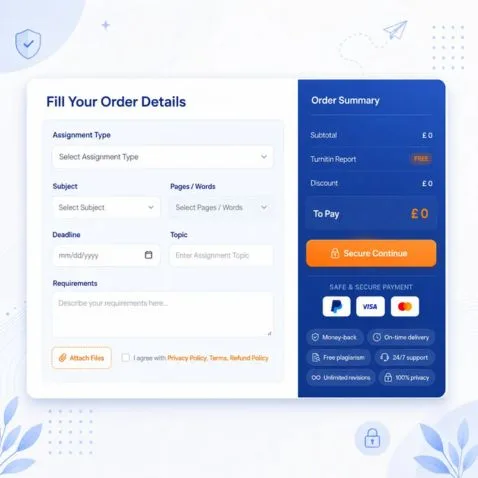
Get Your Free Academic Quote
No hidden fees · Instant response · 100% confidential
Perks You Get After Hiring Us:

The first benefit you get is 100% authentic content and we always make sure that we provide high-quality content produced by humans and that’s why we always provide AI and Plagiarism reports while delivering your SolidWorks assignment.

We have an in-house team of expert writers which is located in the UK and they are always involved in academic writing throughout the year so they know how to do your SolidWorks Assignment.

Sometimes students need someone who can guide them with professionalism and we have built a team of customer support who works 365 days. So all you have to do is contact us our team will provide you assistance.

If you have any urgent query want to discuss with the assigned writer then you can just contact us we will connect you with our SolidWorks Assignment writer.

Whenever academic work comes it comes with a tight deadline and we ask first about your deadline so we keep that deadline in mind and work on your project accordingly.

Sometimes students want to see our previous work so regarding this we have a dedicated section of samples from which you can download our previous work and get an idea of how we deliver your work.

If you’re facing challenges while choosing your SolidWorks assignment topics then we have a team who can guide and this service is totally free of cost you get.

We have the most affordable SolidWorks assignment writing services in the academic writing field because we want every student can get the benefits of it.

This perk is a most valuable perk of our where if you and your SolidWorks assignment professor are not satisfied with the assignment or some parts of the assignment then we can provide you free changes and revisions.
Hire Our SolidWorks Assignment Helper

flight mechanics and control systems
Danny Smith is an expert in flight mechanics and control systems. Previously worked on the Airbus A350 development team. Handles complex CFD and MATLAB simulation assignments.
Hire Writer
If it is true, then we provide SolidWorks assignment help
Order Now Assembly Design Process
Finite Element Analysis
Stress Analysis
Assembly Modeling
Sheet Metal Design
SolidWorks MBD
Surface Modeling
Advanced Part Modeling
Fluid Mechanics
Assembly Design Process
Finite Element Analysis
Stress Analysis
Assembly Modeling
Sheet Metal Design
SolidWorks MBD
Surface Modeling
Advanced Part Modeling
Fluid Mechanics
On a UK BEng or MEng course, a SolidWorks assignment is rarely one model. The first year might ask for a single machined component. By the second or third year, expect a working mechanism, correct tolerances and a full drawing pack. Courses use SolidWorks CAD to test whether parts actually fit and move, not just whether you can draw a shape.
Assignments mix file types. A part file (.SLDPRT) is one component. An assembly file (.SLDASM) brings parts together with mates so they move correctly. A drawing file (.SLDDRW) turns that work into dimensioned sheets. Some briefs also want a simulation report: stress, displacement, factor of safety.
A simple part model and a multi-body assembly with simulation are different jobs. One is geometry. The other is geometry that has to behave under the loads you set.
This is why SolidWorks assignments overrun. One early sketch change can break features built on top of it. Rebuild errors appear with no clear cause. A sketch that looks finished but isn't fully constrained shifts the moment you touch it. Students search for 3D modelling help and CAD assignment help for the same reason. The geometry fights back before the write-up starts.
Most SolidWorks problems aren't about talent. They're about the software's quirks catching people out at the worst time. If you've searched "do my SolidWorks assignment" at 2 am, you've probably hit one of these.
This is where SolidWorks assignment help earns its place. Our SolidWorks helper team has hit these exact problems, not just read about them. That is real help with SolidWorks assignment work, not generic write-up support.
Workingment's SolidWorks assignment help covers SOLIDWORKS 2022 through to the current 2026 release, including SOLIDWORKS 2024, so your file gets matched to the exact version your university runs.
Many UK universities now teach through the SolidWorks 3DEXPERIENCE platform, using xDesign, a browser-based app needing no local install and no campus licence cost.
Version compatibility matters because SolidWorks only opens backwards, not forwards: a file saved in a newer version won't open in an older one.
Before you submit your brief, check which version your university's lab computers run, or find it in your module guide, and pass this to your assigned expert. Get it wrong and your finished file simply won't open on marking day.
SolidWorks assignment types vary by year and by course. Some briefs focus on 3D part modelling alone. Others need assembly design, FEA assignment work, or full drawing packs.
Here's what to expect at each UK course stage.
| Assignment Type | Typical UK Year | What It Involves |
| Single-part modelling | Year 1 | Convert a 2D engineering drawing into a 3D parametric part |
| Assembly design with mate constraints | Year 1 to 2 | Constrain multiple components so they move and fit correctly |
| 2D drawing sheets from 3D models | Year 1 to 2 | Dimensioned views to BS 8888, ready for manufacture |
| FEA assignment (static stress or thermal) | Year 2 to 3 | Stress, strain or thermal analysis using SolidWorks Simulation |
| Motion study or mechanism simulation | Year 2 to 3 | Animate a mechanism and check its kinematic behaviour |
| Sheet metal flat pattern | Year 2 to 3 | Bend allowances and flat pattern layout for fabrication |
| Weldment frame with cut list | Year 3 or MEng | Structural frame design with an automated cut list |
| Surface modelling | Year 3, MEng or product design | Free-form surfaces for ergonomic or aesthetic product briefs |
Workingment solidworks assignment help services cover the full pipeline: part modelling, assemblies, drawings, FEA and specialised features like sheet metal and weldments. Every SolidWorks assignment expert on our team works inside the actual software, not around it.
Here's exactly what our online SolidWorks assignment help includes:
Every part starts with a fully defined SolidWorks sketch: correct geometric relations, no dangling degrees of freedom. From there, we build parametric features, extrude, revolve, loft, sweep, shell, fillet, and chamfer in a feature tree order that matches your actual design intent, not just whatever works first. For multi-body parts, we keep bodies organised so later operations don't clash.
Our SolidWorks 3D modelling help exists to get one thing right: the model rebuilds cleanly, with no errors, every time you or your assessor opens it. That's CAD assignment help built for grading, not guesswork.
A SolidWorks assembly assignment lives or dies on its mate constraints. We apply coincident, concentric, distance and angle mates so components move the way your mechanism actually requires, not just the way they happen to sit.
Complex mechanisms get broken into sub-assemblies, so the structure stays readable and each unit can be edited without breaking the rest. We build exploded views and assembly motion where the brief calls for it, choosing top-down or bottom-up modelling depending on what the design needs.
Before delivery, every assembly goes through interference detection and fit verification. That's assembly design help that checks itself.
Our SolidWorks engineering drawings cover the full set of standard views: front, top, side, isometric, section and detail, dimensioned to BS 8888 and ISO conventions, not generic defaults, since that's what UK assessors mark against. Where a brief needs GD&T, we add proper feature control frames and surface finish symbols instead of approximated tolerances.
Title blocks are completed in full: drawing number, scale, material, revision. For assemblies, we generate a live Bill of Materials straight from the model. This is a SolidWorks drawing help built around submission-ready 2D drawings, not sketches that need redoing before you can hand them in.
Static stress work starts with boundary conditions and load application that match the brief, not guesswork. Thermal analysis requires proper setup and result interpretation, not a colour plot. We check mesh quality and run convergence checks before trusting any number. Motion analysis covers mechanisms, forces and resultant velocities where a brief needs kinematics rather than statics.
For fluid problems, we use FloXpress for simple internal flow or full Flow Simulation for more complex work. Every simulation assignment ends with a report: Von Mises stress plots and factor of safety, SolidWorks simulation and SolidWorks FEA help build to survive a viva.
A SolidWorks sheet metal assignment gets built with base flange, edge flange and hem features, correct bend relief, and a flat pattern that unfolds without errors. Weldment work uses structural member profiles with corner treatments, plus an automated cut list table, not a manually typed one.
For organic or product-style geometry, our SolidWorks surface modelling uses fill, ruled and boundary surfaces where solid features can't achieve the shape.
When a brief needs simulation afterwards, we convert those surface bodies to solid first, since Simulation needs a defined thickness and material, not open surfaces. That's solidworks weldment help and surfacing done properly.
Every SolidWorks assignment comes down to one file, and submitting the wrong format is one of the easiest ways to lose marks before your lecturer even opens the model.
Two formats trip up students the most: SLDPRT, which holds a single part, and SLDASM, which holds an assembly built from several parts working together. Confuse the two and your marker may not be able to open your work at all.
Here's a quick reference for the main SolidWorks file formats you'll come across during your course, and exactly when each one gets requested:
| File Format | What It Is | When Your Lecturer Asks For It |
| .SLDPRT | Single-part file | Individual component tasks |
| .SLDASM | Assembly file | Multi-component assembly projects |
| .SLDDRW | Drawing sheet file | 2D engineering drawing submissions |
| .STEP / .STP | Neutral format | When they cannot open native SW files |
| .STL | Mesh file | 3D printing submissions |
| .DXF | 2D flat format | Sheet metal flat patterns |
Check your module guide before you submit anything. If it doesn't specify a format, ask your lecturer directly rather than guessing.
As a general rule for how to submit a SolidWorks file: native formats such as SLDPRT and SLDASM go to markers who have SolidWorks installed on their machine, while neutral formats such as STEP go to anyone who doesn't.
If you're searching for academic help , here are some top-quality academic services available to you:
What Do Our Writing Experts Offer?
Get access to our premium assignment solutions to get academic success whether it's a report, dissertation, report, ppt, case study, and essay. Our Writers are always ready to help you.
Book qualified writers to guarantee an A+ in academic papers.

Hey everyone! It's Charlie Here, I just wanted to share useful information about the assignment help service of Workingment. Indeed, I adopted it for my final year subject and it was a game-changer. Because of the great details that they provided, I achieved 70 marks out of 100 in my final year assignment project. It was great to have their support, they were very experienced and provided quality work.
Hey folks, Raheem here! I completed my Environment and Health course, all thanks to Workingment who is doing an exemplary job in the assignment section. As time went by, I was having a really tough time but their assistance was excellent. I must say that I didn’t have much expectations for this exam, but I was able to score 60 marks and I can only imagine how much better I could have done if I had paid more attention. I would like to suggest Workingment for assignment help.
Hey everyone, it's Mia! ended my course recently with an A+ Grade, and I can’t fail to give a shoutout for this magnanimous service from Workingment. I was really struggling a lot with my course however, with their assistance I was able to keep up and get a 80 percent score. They were incredibly friendly, and they made everything very clear and understandable, even when I had numerous questions.
Hey folks, it's Amelia! Hi, I hope everyone had a great week. I have just completed my Contemporary Marketing course and had a good experience today using Workingment’s assignment help service. It was really annoying that I felt ill but with their help, I passed by somehow with a 65% score. They always made me understand everything that was tough and did not mind helping whenever I asked. I would highly recommend their service.
I wish I could have contact with such an excellent team then I could have passed in my last assignment without fail. However, I feel it is not too late to connect with such a team who provide this type of excellent academic support. I received the result today of the last assignment that I submitted. I got 76 out of 100 which was beyond my expectation. Your service is really recommended to other students.
It was a great achievement for me to complete my research work on time and it was only possible for your excellent support. I would like to thank all the experts who contributed to producing excellent research work. I have received excellent guidance from your team and the insightful feedback that I have received helped me in improving. I really appreciate your service.
I am writing this to highlight before the readers that this organization really provides excellent dissertation help with the knowledgeable experts. I took services for the dissertation help which was highly beneficial for me. I am very happy to declare that I am fully satisfied with your dissertation help. Just try it and find excellent results.
I was anxious about doing my coursework, however excellent support that I received from your team is highly appreciable. You guys are extremely knowledgeable, and I really appreciate your all-encompassing support. I appreciate your help.
Hello, I received my results today and I'm delighted to share with you all that I received 71 out of 100 on my failing file, which was completed by you guys. I really appreciate it. Thanks again for your excellent support. This is the second time I am using your services. I already recommended your excellent services. I will definitely recommend others again.
My friend recommended their help and I am very happy to say I never expected a higher grade in the very first assignment where I took help from them. I would recommend others who are struggling to tackle challenging topics and looking for higher grades.
Hello guys. The topic that I assigned them seemed to be highly complicated however I got exceptional guidance from their exports and did my assignment excellently. They have knowledgeable exports and their application of knowledge in doing the course work is excellent.
I can say that the assignment help services which are delivered by you guys are really amazing. Highly appreciable. I really found my lacking when I compared my previous coursework that I personally did with your work. It was a good learning experience for me. Thanks.
You guys are really knowledgeable and your comprehensive support is really appreciable. Thanks for your support. Yesterday I got the results of my final assignment. I got 81 out of 100 in the HRM assignment. Thank you.
It was an invaluable service and I am glad to reveal that the assignment help that I received made a big difference. There is no doubt that your experts really work hard to deliver excellent service. I especially want to thank the experts who did my economics assignment. It really helped me in improving my grades.
If you're searching "do my SolidWorks assignment", here's what Workingment's SolidWorks assignment help actually provides: complete reference models, assemblies, drawings, and simulation reports built by qualified experts. You use these to learn the method and check your own work.
Workingment's SolidWorks helper covers 3D part modelling, parametric design, assembly work with mate constraints, FEA and simulation, engineering drawing sheets, sheet metal design, weldments, surface modelling, motion analysis, and fluid flow simulation. Don't see your topic? Contact Workingment directly with your module details.
Either works. If you already have a partially finished file with errors, an expert can pick it up from where you stopped and fix or complete it. Starting fresh? Send the assignment brief and the expert builds the model from scratch.
Usually a version mismatch. Workingment saves files in the version you specify, or one step below current if you don't specify, to maximise compatibility. If your file still won't open, contact support within 24 hours and it'll be re-saved in the correct version.
Turnaround options include 6 hours for simple parts, plus 12, 24, 48 hour, and 7-day options for larger work. Complex assemblies or simulation work generally need at least 24 hours to complete accurately. Rushing complex SolidWorks work raises the error risk regardless of provider.
Send your assignment brief or question document, the SolidWorks version your university uses, your deadline with time zone, any reference files or sketches from your lecturer, and the exact deliverables needed, for example .SLDPRT only, or parts plus drawings plus a report.
CAD files aren't text, so standard plagiarism scanners like Turnitin don't apply to SolidWorks geometry. If your assignment includes a written report, Workingment produces original reference content checked against plagiarism-detection tools, for you to review and build your own submission from.
Let's Book Your Work with Our Expert and Get High-Quality Content